Hirewand's AI Sourcing Explained: 4 Ways to Find Candidates Faster

Every recruiter knows the feeling of opening a new job and starting from a blank search bar. It's not that the process is wrong. Sometimes a role genuinely needs a fresh search, a new pool, a different angle entirely. But often, somewhere in the pipelines you've already built, sits someone who's worth a second look before you go looking anywhere else.
That candidate from a similar role three months ago who didn't get the offer, not because they weren't good, but because someone else was marginally closer, or the client's headcount shifted, or the timing didn't line up. The person who replied "interested" to an outreach a few weeks back and is still waiting to hear more. The resume that came in on its own, got parsed, and has been sitting quietly in the database since, matching a job that hadn't been created yet.
None of these candidates are guaranteed to be the hire. Plenty of roles will still need a brand new search, and that's fine. That's the job. But checking what you already have first, before assuming you need to start over, tends to save real time when it works, and costs almost nothing when it doesn't. The trouble has always been that "checking what you already have" means manually digging through old pipelines and hoping you remember the right one. Most recruiters don't have time for that on every single job.
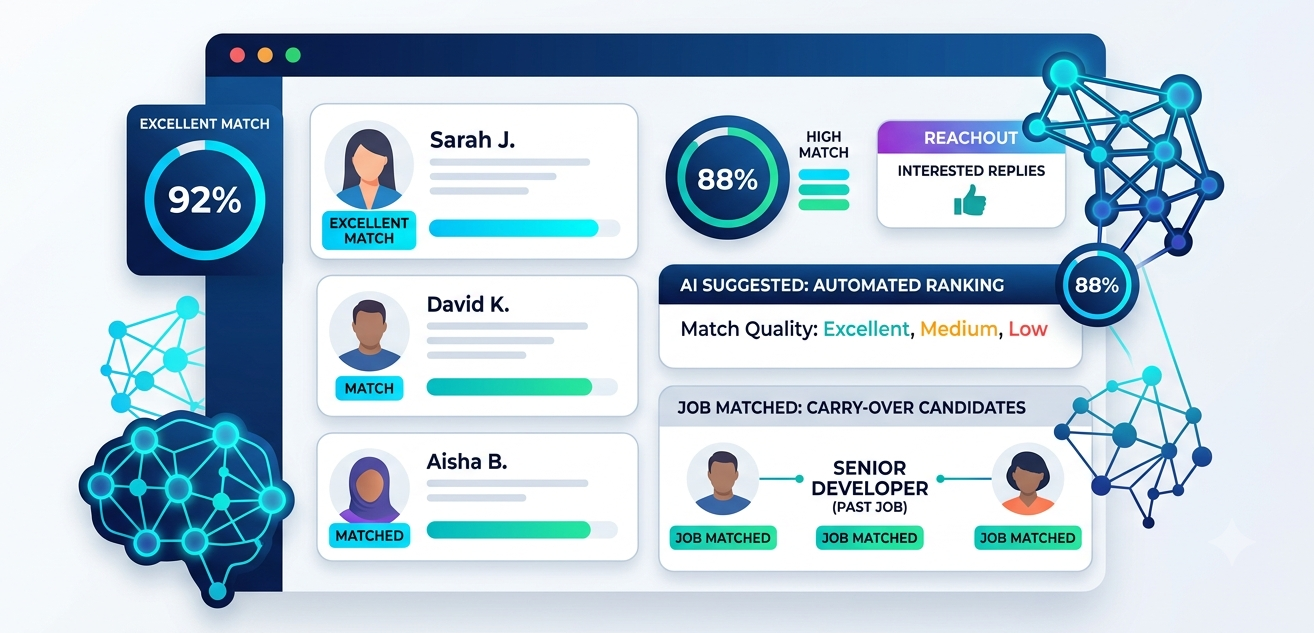
That's the gap AI Sourcing is built to close. It shows up as four tabs in Hirewand, and each one brings a different part of your own hiring history forward automatically, so it's already in front of you before you even think to go looking for it.
AI Suggested: A Search That Never Stops Running
Every job in Hirewand carries a description and the screening criteria set when the job was created. AI Suggested treats that as a living search rather than a one-time query, continuously checking it against everyone already in your candidate database.
As new resumes come in, they're automatically evaluated against every open job, not just the one they happened to apply for. Matches are ranked Excellent, Medium, or Low, so when a recruiter opens a job, there's already a starting point instead of an empty results page. It won't always turn up the eventual hire. It will consistently give a team a faster, better-informed place to begin.
Job Matched: Reusing the Work You've Already Done
Every job you've run leaves behind a pipeline, and some of those pipelines hold strong candidates who simply weren't the final choice for that particular role. Job Matched looks at a new job's description, compares it against every other job in the account, and brings forward candidates from similar past roles, labeled with which job they came from and how strong that earlier match was.
It's a reasonable thing to check, because a candidate who was a strong fit for a similar role recently is often worth a look for the next one, even if they don't end up being right for it. This won't replace the searching and networking that goes into filling most roles. It just means a team doesn't have to rely on memory alone to notice when a past candidate might genuinely fit again.
Reachout: Keeping Track of Who Already Said Yes
When AI Reachout is turned on for a job, candidates get an automated message gauging interest, and some of them reply "interested." Across a handful of active jobs, those replies are usually easy to track. Across a few dozen, with everything running through the same shared inboxes and threads, it gets harder to guarantee someone doesn't slip through simply because nobody happened to see the reply in time.
The Reachout tab brings every "interested" response, from every job currently running outreach, into one place. It doesn't decide who to follow up with or how. It just makes sure a candidate who's already raised their hand is easy to find and easy to act on, instead of being one more message in a busy inbox.
Dashboard: Everything in One Place, Without Having to Ask
AI Suggested, Job Matched, and Reachout each solve a specific piece of this. Dashboard brings them together, showing every match, carry-over candidate, and interested reply across every job, grouped and ready to review, in a single feed.
For most teams, this becomes the first tab opened each day, simply because it removes the extra step of checking three places separately. It's a small thing on its own, but it's often what determines whether the other three tabs get used consistently or get forgotten in a busy week.
How This Fits Alongside Your Process, Not in Place of It
AI Sourcing is designed to support the sourcing work a team already does, not replace the judgment that goes into it. It can surface a ranked list of matches and explain why a candidate showed up, but it won't decide who's worth a call, how a screening conversation should go, or whether a candidate with a "Low" match might still be right for reasons that live outside the job description, like a relationship the recruiter already has with them.
It also won't be the answer for every job. Some roles genuinely need fresh sourcing from outside your existing database, and no amount of internal matching changes that. What AI Sourcing does is make sure that before a team invests time in a brand new search, they've had an easy, automatic look at what's already sitting close by.
A Small Shift in Where You Start
None of this changes how recruiting actually gets done. It changes where the search starts. Instead of a blank search bar being the default first step on every job, AI Sourcing puts your own hiring history, your past pipelines, and your outreach replies in front of you first, so the decision to search further is an informed one rather than an assumed one.
If that sounds useful for how your team works, take a look at how AI Sourcing works inside Hirewand.